

A beautiful website is only as good as its visibility. You can have the best content and a fantastic user experience, but if search engines can’t find you, your audience won’t. This is where SEO plugins for WordPress become not just helpful, but absolutely crucial.
Think of WordPress as your car’s powerful engine. An SEO plugin is a high-performance GPS system finely tuned to guide you on the fastest route to your destination: the top of the search engine results pages (SERPs). These tools help you speak the language that Google, Bing, and other search engines understand, translating your website’s content into a format that is easy to crawl, index, and rank.
This guide is a complete resource that explains what makes an SEO plugin effective and highlights the key features to consider. It also presents the 10 best WordPress SEO plugins to help you choose wisely and boost your site’s performance.
What Makes an SEO Plugin Effective for Rankings & Traffic
Not all SEO plugins are created equal. The most effective ones don’t just add a few features; they provide a holistic framework for your WordPress SEO strategy. An effective SEO plugin simplifies complex tasks and offers clear guidance, even for beginners.

Key Features to Look For
When evaluating a WordPress SEO plugin, certain features are non-negotiable for success.
- On-page content analysis: This is the core of most SEO tools. Look for a plugin that provides a clear checklist or “traffic-light” system to help you optimize each page. It should guide you on keyword optimization, suggest internal linking, and ensure your meta descriptions and seo title are correctly formatted.
- Technical SEO: The best plugins automate the technical side of things. This includes automatically generating XML sitemaps, which helps search engines discover your content. They should also support schema markup, manage canonical URLs to prevent duplicate content issues, and provide an editor for your robots.txt file.
- Speed & performance: The last thing you want is an SEO plugin that slows down your site. Look for lightweight plugins that integrate with WordPress caching plugin solutions like WP Rocket. Features like minification and image optimization are also a huge plus.
Explore Further: Top Drag-and-Drop WordPress Page Builders
Balancing Usability, Performance, and Cost
Choosing a plugin is a balancing act. You need to consider the trade-offs between free and premium versions. While a free SEO plugin can be a great starting point, premium SEO plugins often unlock critical features like advanced SEO analysis, deeper Google Search Console integration, and priority support.
A significant concern with any WordPress plugin is “plugin bloat.” Installing too many plugins can slow down your site and create conflicts. The best SEO plugins for WordPress are comprehensive, reducing your need for multiple single-purpose tools. They are regularly updated and compatible with major themes and other seo plugins.
Emerging Trends: AI, Schema, and Content-Based Optimization
The world of SEO is constantly evolving. Modern SEO tools leverage artificial intelligence and machine learning to offer more brilliant insights. AI can help you with keyword suggestions and identify keyword clusters to create more comprehensive content.
Structured data and rich snippets are becoming more critical for gaining visibility. By marking up your content with schema, you can help search engines understand the context of your page and potentially earn a coveted spot in Google search results with a rich snippet. Tools that make this process simple are invaluable.
Top 10 SEO Plugins for WordPress (with detailed comparison)
This is our curated list of the top SEO plugins for WordPress. Each has unique strengths that cater to different needs, from the total beginner to the experienced marketer.
All in One SEO (AIOSEO): Best All-Round WordPress SEO Plugin
Overview: All in One SEO (AIOSEO) is a powerful and user-friendly WordPress SEO plugin. It offers a complete suite of features designed to handle both on-page and technical SEO, making it an excellent all-in-one solution. It’s especially popular for its beginner-friendly setup and comprehensive functionality.
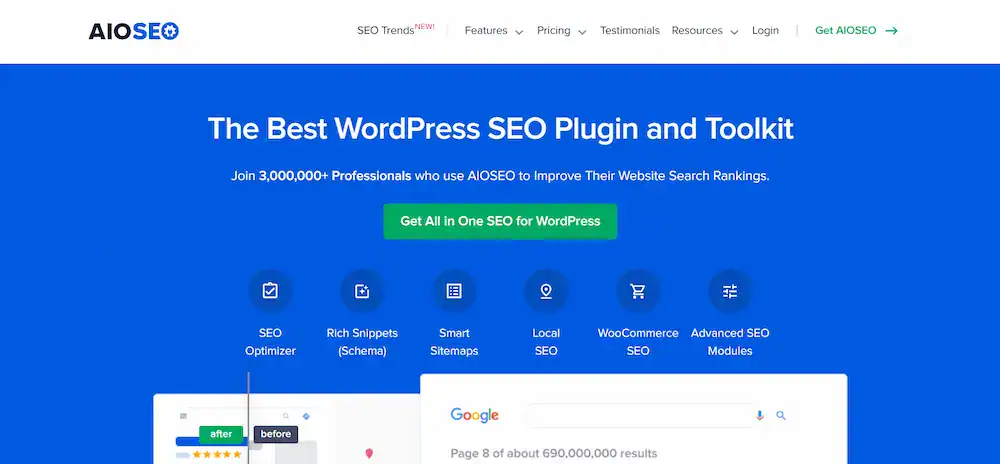
- Stand-out Features: AIOSEO shines with its powerful on-page analysis tools, integrated XML sitemaps, and advanced schema markup generator. It offers seamless Google Search Console integration and unique features like SEO user roles, which is great for teams. Its TruSEO on-page analysis provides a checklist-style guide, making content optimisation a breeze.
- Pros & Cons: The major pro is its all-in-one nature, which reduces the need for multiple WordPress plugins. The setup wizard is incredibly intuitive, making it easy to get started. It’s a comprehensive WordPress SEO plugin right out of the box. A minor con is that the full power of the plugin is in the premium version, which can be a higher cost than other options.
- Best Use Cases: AIOSEO is perfect for small businesses, bloggers, and freelancers who need a complete, user-friendly SEO tool. Its comprehensive feature set makes it a fantastic choice for anyone who wants a single SEO plugin to manage their entire WordPress website’s SEO.
- Pricing / Free vs Premium: The free version is a great starting point, but the premium plans unlock powerful features like local SEO, advanced schema, and the redirect manager.
- Performance Impact: AIOSEO is built to be efficient. While it has many features, it is designed to run without significantly impacting your site’s speed.
Schema Pro: Best Plugin for Structured Data and Rich Snippets
Overview: Schema Pro is a specialist plugin dedicated entirely to structured data. It’s designed to help you generate rich snippets and increase your visibility in search results. Instead of being a full-service SEO plugin, it excels at one crucial aspect of modern SEO.

- Stand-out Features: Schema Pro’s main strength is its automated schema markup. It supports many schema types, from articles and products to recipes and job postings. It can automatically apply the correct schema to hundreds of pages simultaneously, saving time.
- Pros & Cons: The biggest pro is its singular focus and effectiveness. It’s the best WordPress schema plugin on the market. The con is that it is not a complete WordPress SEO plugin and must be used alongside another tool like Yoast SEO or Rank Math for other SEO tasks.
- Best Use Cases: This plugin is a must-have for any site where rich snippets would be beneficial, such as recipe blogs, review sites, or e-commerce stores. It’s ideal for users serious about technical SEO who want to stand out in SERPs.
- Pricing / Free vs Premium: Schema Pro is a premium-only plugin.
- Performance Impact: Since its focus is on adding structured data to the code, it has a minimal impact on site speed.
Surfer SEO: Best Tool for Content-Based Optimization and SERP-Driven Insights
Overview: Surfer SEO is less of a traditional WordPress plugin and more of an SEO tool with deep WordPress plugin integration. It focuses on content optimization by analyzing the top-ranking pages in your niche and providing data-driven recommendations.

- Stand-out Features: Surfer SEO’s killer feature is the real-time content editor. As you write, Surfer SEO provides suggestions based on what’s working for your competitors. It gives you feedback on heading usage, keyword density, and recommended word count, ensuring your content is optimized for search rankings.
- Pros & Cons: The main pro is its data-centric approach. It moves you beyond guesswork and provides a clear roadmap for on-page SEO. The con is that it’s a content-first tool, so you still need another WordPress SEO plugin for technical SEO tasks. Its pricing is also an additional subscription cost.
- Best Use Cases: Surfer SEO is essential for content creators, marketers, and SEO professionals who want to dominate a niche with high-quality, data-backed content.
- Pricing / Free vs Premium: Surfer SEO is a subscription service with a free trial.
- Performance Impact: The WordPress plugin component is lightweight. Surfer SEO’s external servers do the heavy lifting.
Yoast SEO: Best for Readability, Traffic-Light Content Analysis, and Broad Use
Overview: Yoast SEO is arguably the most recognized SEO plugin in the WordPress ecosystem. It’s been around for years and is known for its user-friendly interface and famous traffic-light system for on-page analysis.
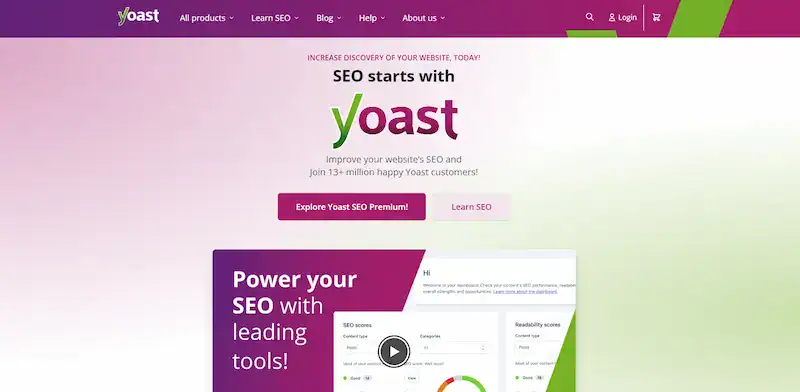
- Stand-out Features: Its readability analysis is a key feature that helps writers create easy content for humans to read, indirectly improving search engine rankings. The plugin also handles XML sitemaps, provides internal linking suggestions (in the premium version), and offers powerful meta editors.
- Pros & Cons: The pro is its massive user base, which means extensive documentation and integrations. It’s a very reliable and stable plugin. The con is that the free version can be somewhat limited compared to its competitors, and some users find the interface cluttered.
- Best Use Cases: Yoast SEO is ideal for beginners and bloggers who want a tried-and-true solution for basic on-page SEO.
- Pricing / Free vs Premium: Yoast SEO has a powerful free and premium version with features like internal link suggestions and a redirect manager.
- Performance Impact: While it has an extensive feature set, it’s generally well-optimized. However, some users report a slight speed impact compared to lightweight alternatives.
Rank Math: Best Feature-Rich SEO Plugin with a Strong Free Version
Overview: Rank Math is a fast-rising star in the SEO community. It’s often hailed as a direct competitor to Yoast SEO, but it distinguishes itself by offering many features in its free plugin.

- Stand-out Features: Rank Math comes packed with features like a built-in 404 monitor, a redirection manager, and the ability to analyze up to five keywords per page in the free version. Its setup wizard is excellent, and it even includes a content AI tool in its premium version.
- Pros & Cons: The biggest pro is the incredible value and extensive feature set that are available for free. It gives users a level of control and insight that its competitors often reserve for premium versions. A potential con for some beginners is that the sheer number of features can initially feel a bit overwhelming.
- Best Use Cases: Rank Math is perfect for power users, agencies, and bloggers who want maximum control over their WordPress SEO without breaking the bank.
- Pricing / Free vs Premium: Rank Math has an incredibly generous free version. The Pro version adds more advanced features like keyword rank tracking and more advanced seo tools.
- Performance Impact: Rank Math is known as a very lightweight and fast plugin designed for performance.
SEOPress: Best Lightweight Plugin for Value and Performance
Overview: SEOPress is a lean, mean SEO plugin machine. It’s a great alternative for those who want a comprehensive feature set without the bloat of other popular seo plugins.
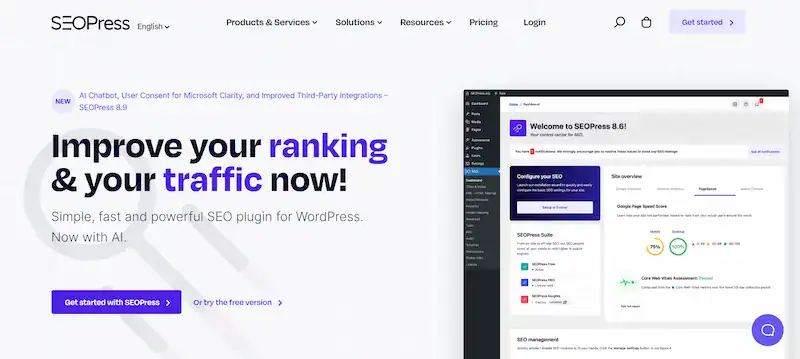
- Stand-out Features: SEOPress includes all the essentials: XML sitemaps, a meta descriptions editor, and even Google Analytics integration. Its clean, no-frills interface is a breath of fresh air. In its premium version, it offers local SEO and breadcrumbs.
- Pros & Cons: The key pro is its performance. It’s one of the fastest and lightest SEO plugins for WordPress. The Pro version offers incredible value, often allowing unlimited site usage for a single price. The only con is that its interface might not be as “hand-holding” for absolute beginners as Yoast SEO.
- Best Use Cases: SEOPress is an excellent choice for small businesses, agencies, and developers who need a powerful yet performance-friendly seo tool for multiple WordPress websites.
- Pricing / Free vs Premium: It has a solid free and affordable Pro version.
- Performance Impact: SEOPress is known for being extremely light on your server resources and having minimal impact on site speed.
The SEO Framework: Best for Privacy, Speed, and Minimalism
Overview: The SEO Framework takes a different approach. It’s designed to be a “set it and forget it” solution with intelligent, automated defaults. Its philosophy is to stay out of your way while providing expert-level optimizations.

- Stand-out Features: This plugin automatically generates titles and descriptions according to Google’s guidelines. It focuses heavily on privacy and doesn’t track your data. The SEO Framework provides a beautiful overview of your posts with a color-coded system highlighting potential issues without intruding.
- Pros & Cons: The primary pros are its speed and “smart” automation. It’s a great choice if you don’t want to mess with many SEO settings. The con is that it can feel too minimal for advanced users who want granular control over every aspect of their SEO.
- Best Use Cases: This plugin is perfect for users who value simplicity and performance. It’s ideal for bloggers or small business owners who don’t have the time to learn and tweak complex SEO settings.
- Pricing / Free vs Premium: It has a robust free version and a pro version for advanced features.
- Performance Impact: As one of the most lightweight SEO plugins, it has an almost negligible impact on your site’s performance.
Squirrly SEO: Best for AI-Assisted Suggestions & Workflow
Overview: Squirrly SEO bills itself as a complete SEO suite that uses AI to guide your entire SEO workflow. It’s designed for users who need much guidance and want to leverage machine learning for better results.

- Stand-out Features: The AI-powered SEO assistant is its core feature. As you write, it provides real-time feedback and keyword suggestions based on what will help your content rank. It also includes tools for keyword research, site audit, and competitor analysis.
- Pros & Cons: The pros are its comprehensive, AI-driven approach, which acts like a personal SEO consultant. The cons are that its full power is in the premium subscription, which can be more expensive than other options.
- Best Use Cases: Squirrly SEO is best for content marketers and bloggers who want a guided, AI-assisted approach to their SEO. It’s great for those who wish to integrate their content creation and SEO strategy into a single workflow.
- Pricing / Free vs Premium: It has a free plugin and a premium version.
- Performance Impact: It has a larger footprint than lightweight alternatives but provides many features that can replace multiple plugins.
SmartCrawl: Best for Beginners Who Want Simplicity
Overview: SmartCrawl is an excellent choice for new SEO users who want a “no-fuss” solution. They automate most basic SEO tasks without overwhelming the user with complex settings.
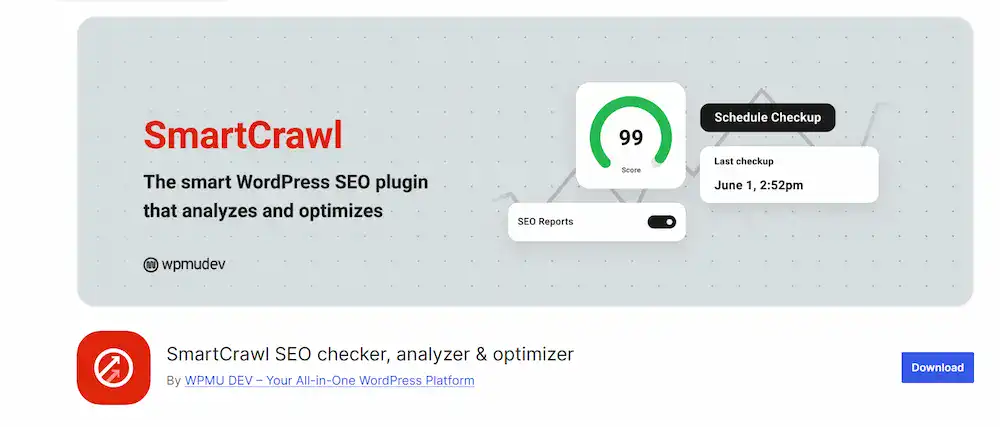
- Stand-out Features: SmartCrawl has a great SEO audit feature that scans your site and provides actionable recommendations.
- Pros & Cons: The main pros are the simplicity and ease of use. They are perfect for non-technical users. The con is that they offer fewer advanced features and customization options than a comprehensive WordPress SEO plugin like AIOSEO or Rank Math.
- Best Use Cases: These plugins are ideal for beginners, new bloggers, or anyone who wants a simple, automated SEO solution.
- Pricing / Free vs Premium: Both have free versions and premium options with more features.
- Performance Impact: Both are designed to be extremely lightweight, ensuring minimal impact on site speed.
Broken Link Checker: Best for Fixing Broken Links and Improving SEO Health
Overview: Broken Link Checker is a specialized SEO WordPress plugin to monitor and detect broken links that harm search engine optimization. It scans internal and external links, helping maintain a clean site structure that supports rankings and improves user experience.

- Stand-out Features: It automatically checks all posts, pages, and comments for broken links. The plugin highlights issues directly in the WordPress dashboard, allowing you to edit or unlink them quickly. It also detects missing images and redirects, ensuring your site is fully optimized.
- Pros & Cons: The pro is its ability to save time by continuously monitoring your site’s link health and preserving SEO value. The con is that it can be resource-heavy on very large sites, so running it periodically or via a managed hosting environment is recommended.
- Best Use Cases: This plugin is best for content-heavy WordPress sites, blogs, and eCommerce stores that frequently update content or have many outbound links. It ensures that dead links do not hurt search engine visibility.
- Pricing / Free vs Premium: The plugin is free, though premium alternatives exist for advanced features and automation.
- Performance Impact: It may temporarily increase server load during scans, but when appropriately configured, it has a manageable impact and delivers significant SEO benefits.
How to Choose the Right SEO Plugin for Your WordPress Site
The best SEO plugin is not the one with the most features. It’s the one that best fits your specific needs and goals.
Matching Plugin Features with Your Site Goals
Your site’s purpose dictates the type of plugin you need.
- For a blog: A plugin with strong on-page SEO and readability features, like Yoast SEO or Rank Math, is perfect. You also want a tool for finding keyword ideas and analyzing content.
- For an eCommerce site: You need a plugin that has specific ecommerce seo features, like product schema and breadcrumbs. AIOSEO and Rank Math are both great for this.
- For a local business: Look for a plugin with local seo features that allow you to add your business details and get a head start on local search rankings.
Testing Free Versions Before Upgrading
Start with a free version. Use the setup wizard and test it for a few weeks. Check that it doesn’t conflict with your theme or other seo plugins. This gives you a risk-free way to evaluate the interface and key features.
Considerations for Performance & Technical SEO Health
Make sure the plugin has a history of regular updates and good support. A neglected plugin can create security vulnerabilities and cause problems. Use a tool like Google PageSpeed Insights to determine how the plugin affects your site speed.
Also Learn: Best WordPress Themes: Stylish, Functional & Future-Ready
Best Practices When Using SEO Plugins to Actually Boost Rankings & Traffic
A plugin is only a tool. It’s your execution of an SEO strategy that drives real results.
Optimising Content with Keywords, LSI Terms, Headings, Meta Tags
Use your SEO plugin’s on-page analysis to guide you, but don’t blindly follow it. Write for your audience first, and then use the plugin to refine your SEO-friendly content. Ensure your SEO title and meta descriptions are compelling and include your primary keyword. Use headings (H2, H3) to structure your content logically.
Using Structured Data / Schema for Rich Snippets
Don’t miss out on the opportunity for rich snippets. Use a plugin like Schema Pro or the built-in features of Rank Math and AIOSEO to mark up your content. This makes your search listing stand out and can significantly increase your click-through rate.
Speed Optimisation: Caching, Lazy Loading, Minimising Plugins
Even with a lightweight seo plugin, site speed is a combination of factors. Use the best WordPress caching plugin like WP Rocket or WP Super Cache. Compress images and use lazy loading. Constantly audit your plugins and remove any that are not essential.
Monitoring & Iteration: Analytics, Search Console, Plugin-Provided Insights
Your SEO work is never truly done. Regularly check your Google Analytics and Google Search Console data. Use plugin-provided seo performance reports to see which keywords are driving traffic. Identify which pages are not performing well and iterate on them. This continuous monitoring and improvement is what leads to long-term success.
Explore Further: How to Track SEO Changes on Your WordPress Site
Conclusion
Choosing the right WordPress SEO plugin is pivotal for any WordPress website. The right seo tool can automate tedious tasks, guide your seo strategy, and help you achieve your goals of higher search engine rankings and increased organic traffic.
Our top three choices, All in One SEO, Schema Pro, and Surfer SEO, are strong for different reasons. AIOSEO is the best all-arounder, and it is excellent for users who want a single solution. Schema Pro is the perfect specialist for anyone who wants to dominate with rich snippets. Surfer SEO is a game-changer for content creators
FAQs on Top SEO Plugins for WordPress Website
What is the best WordPress SEO plugin for higher rankings?
The best WordPress SEO plugin depends on your needs. Popular WordPress SEO plugins like AIOSEO, Schema Pro, and Surfer SEO offer advanced SEO analytics, schema markup, and content optimization. Yoast SEO plugins and Rank Math are widely used for search engine optimization and content readability.
How do I choose between an existing WordPress SEO plugin and a new one?
When reviewing SEO plugins, compare plugin data, keyword data, and integration options. Check if the plugin can import SEO data from your existing WordPress SEO plugin and supports features like Google Analytics plugin tracking, Google News sitemaps, and image SEO.
Can I use free keyword research tools with an SEO WordPress plugin?
Yes. Free keyword research tools like Google Keyword Planner help generate keyword ideas and track keyword rankings. Some SEO WordPress plugins recommend Google Keyword Planner integration to access keyword data directly and create SEO templates for content.
Do SEO plugins support video SEO and topical entities?
Top WordPress SEO plugins now optimize for video SEO, image SEO, and even SEO topical entity graph structures. This ensures better search engine visibility and improves your chance of ranking in rich results.
Why should I review WordPress SEO plugins before installing?
Reviewing SEO plugins helps you compare features such as advanced SEO analytics, free SEO tool access, keyword tracking, and plugin data management. A detailed review of the WordPress SEO plugins list ensures you choose the right search engine optimization strategy tool.