
WordPress sites are a common target for attacks because of their popularity and open ecosystem. Malware infections, brute force login attempts, and vulnerable plugins can put your site at risk if security is not handled properly.
Many site owners only think about security after something goes wrong. In this guide, you’ll find a list of trusted WordPress security plugins that help protect your site, reduce risk, and keep common threats under control.
How WordPress Security Plugins Protect Your Website?
WordPress security plugins add an extra layer of protection that helps reduce common risks. They work in the background to detect threats early and limit access to your site.
Malware detection scans your site for malicious code and infected files. Firewalls and threat blocking help stop harmful traffic before it reaches your website. Login protection reduces the risk of brute force attacks by limiting login attempts and blocking suspicious IP addresses.
File monitoring tracks changes to core files, themes, and plugins. This makes it easier to spot unauthorized modifications and respond quickly if something goes wrong.
What to Look for in a WordPress Security Plugin?
Not all security plugins offer the same level of protection. Choosing the right one depends on your site’s needs and technical comfort level.
Look for a plugin that is easy to use and does not require complex setup. Performance impact is also important, as heavy security tools can slow down your site if not optimized.
Regular updates show that the plugin is actively maintained and able to respond to new threats. Compatibility with your theme and other plugins helps prevent conflicts and ensures smooth site operation.
Top 10 WordPress Security Plugins to Protect Your Site
Choosing the right security plugin depends on your site’s size, traffic, and threat model. Here’s a detailed look at the top WordPress security plugins that help protect your site from hacks, malware, and unauthorized access.
Wordfence Security
Wordfence Security is one of the most widely used security plugins for WordPress. It includes a powerful endpoint firewall that inspects incoming traffic and blocks malicious requests before they reach your site. The malware scanner checks core files, themes, and plugins for known threats and alerts you if issues are found.
Login protection is built-in, offering brute force protection and two-factor authentication (2FA). Alerts and logs help you track security events and respond quickly if an attack is detected. Wordfence also provides real-time IP blacklisting, giving an added layer of threat defense.
Sucuri Security
Sucuri Security focuses on monitoring, protection, and cleanup services. Its website application firewall (WAF) filters out malicious traffic and prevents many common types of attacks, including SQL injection and cross-site scripting. The plugin also offers scheduled malware scanning that checks your site for unauthorized changes.

If your site is compromised, Sucuri’s professional cleanup services help remove malware and restore site health. Reporting tools and audit logs give insight into user activity, making it easier to identify suspicious behavior early.
Solid Security ( Formerly knwon as iThemes Security)
Solid Security helps you lock down common vulnerabilities with a suite of protection tools. It includes brute force protection, which limits login attempts and hides login URLs to reduce exposure to automated attacks. Security hardening tools can strengthen database prefixes and file permissions.

The plugin also monitors key actions on your site, alerting you to suspicious behavior. With features like password enforcement and two-factor authentication, it helps enforce better security practices across users.
All In One WP Security & Firewall
All In One WP Security & Firewall is designed for users who want strong protection without complexity. It organizes features by risk level such as basic, intermediate, and advanced, so you can enable protections gradually. The firewall rules help block bad traffic, while login and user account security tools reduce unauthorized access attempts.

The plugin includes file integrity checks, database backups, and IP blacklist tools. It is a free and comprehensive option that works well for small to medium sites that want layered security without confusing settings.
MalCare Security
MalCare Security offers cloud-based malware scanning that does not burden your server. This means scans run externally, reducing performance impact on your website. The plugin automatically detects complex malware and offers a one-click cleanup feature to remove threats quickly
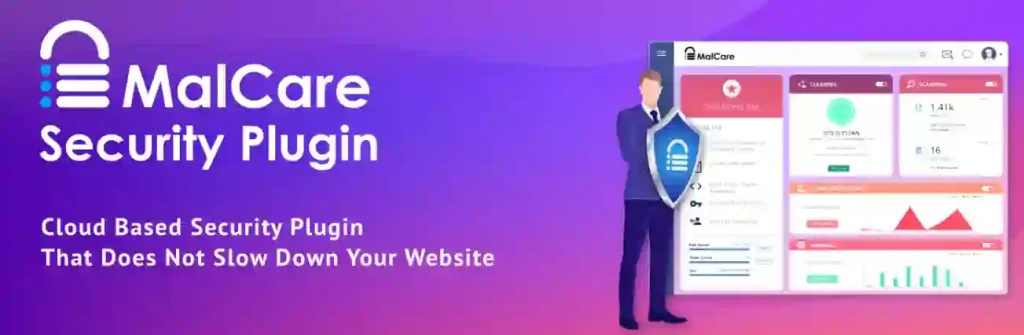
It also includes a firewall and login protection tools to stop attacks before they reach your site. With real-time alerts and security dashboards, MalCare helps you stay informed about potential threats while keeping your site healthy.
Jetpack Security
Jetpack Security is part of the broader Jetpack plugin, combining site management with security tools. It provides automated backups, brute force protection, and downtime monitoring, helping you respond to issues without manual effort.

Daily backups and easy restoration options give peace of mind, while security scanning identifies potential vulnerabilities. The integration with WordPress.com also provides centralized control, making Jetpack a helpful choice for beginners and small business sites.
Shield Security
Shield Security focuses on automation and real-time protection. It offers bot blocking, login protection, and activity monitoring without requiring a lot of setup. By default, Shield applies sensible security rules and minimizes the need for manual configurations.
It also includes tools to monitor user behavior and detect suspicious activity, giving alerts that help you act quickly. With IP blocking and scan features, Shield is a good option for users who want solid baseline security without deep customization.
WP Cerber Security
WP Cerber Security protects your site from malicious login attempts, spam, and brute force attacks. It limits the number of login attempts per IP address, blocks suspicious bots, and offers IP access controls to prevent repeated attacks.

The anti-spam features work across comments and forms, reducing unwanted submissions without CAPTCHA. With traffic tracking and comprehensive logs, WP Cerber provides both protection and insights into how your site is being accessed.
BulletProof Security
BulletProof Security provides advanced protection tools for file and database security. It includes features to protect key WordPress files, database backups, and login security. A setup wizard helps guide you through initial configuration, making advanced security more approachable.

It also offers .htaccess website hardening options and idle session logout controls to reduce exposure from inactive but logged-in users. While it takes a bit more effort to configure, BulletProof can be a powerful choice for users who want deep control over security rules.
SecuPress
SecuPress provides malware detection, security alerts, and a simple dashboard that highlights what matters most. It includes automated malware scans and real-time alerts to notify you of potential threats. The dashboard reports security issues and helps you address them quickly.
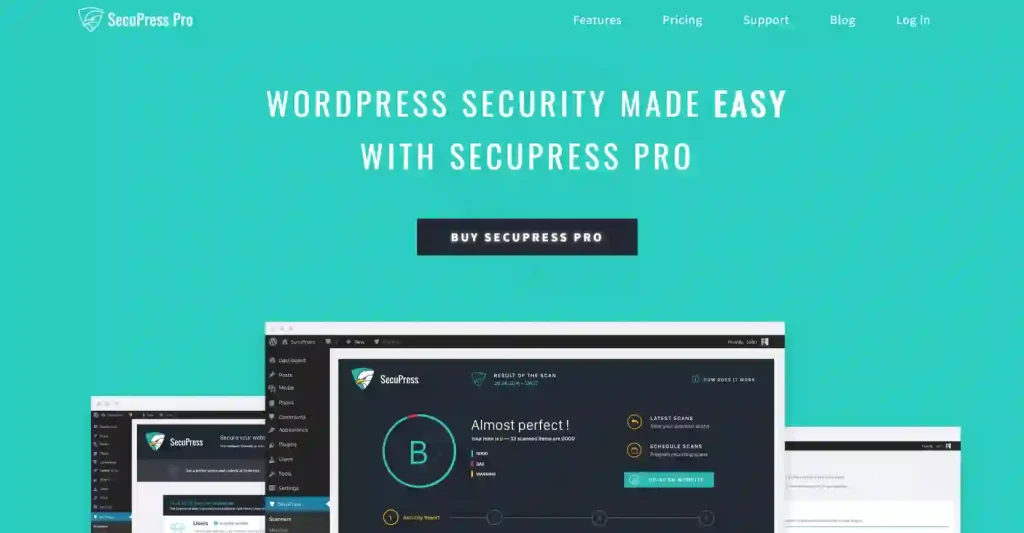
The plugin also offers blocking tools to filter bad bots and restricted login protections. With a focus on readability and straightforward controls, SecuPress is well-suited for users who want a balance between strong protection and a clean interface.
Free vs Paid WordPress Security Plugins
Free WordPress security plugins cover the basics well. They usually include malware scanning, login protection, firewall rules, and security alerts. For many small websites and blogs, these features are enough to reduce common risks.
Premium security plugins add advanced protection. These features often include real-time firewalls, automatic malware cleanup, advanced monitoring, and priority support. Paid options make more sense for business websites, online stores, or sites that handle sensitive data, where the cost of a security issue is higher than the plugin price.
Best Practices for Using WordPress Security Plugins
Installing a security plugin is only the first step. To get real protection, it needs to be supported by good maintenance habits and regular monitoring. When security tools and site management work together, your WordPress site stays more stable and easier to recover if something goes wrong.
- Keep Plugins Updated: Update your security plugin regularly so it can protect against the latest threats and vulnerabilities.
- Avoid Plugin Overload: Using multiple security plugins can cause conflicts and slow down your site. Stick to one well-maintained solution.
- Combine Security with Backups: Security plugins help prevent attacks, but backups help with recovery. Always run regular backups alongside security tools.
- Monitor Alerts and Logs: Check security alerts and activity logs often. Early warnings help you respond before small issues become serious problems.
Common WordPress Security Mistakes to Avoid
Many WordPress security problems are caused by simple oversights that can be avoided with basic precautions. Knowing these common mistakes helps reduce unnecessary risk.
- Using Weak Passwords: Weak or reused passwords make brute force attacks easier. Strong passwords reduce unauthorized access.
- Ignoring Updates: Outdated WordPress core files, themes, and plugins often contain known vulnerabilities that attackers target.
- Relying on Outdated Plugins: Abandoned or rarely updated plugins increase security risk and should be replaced.
- No Backup Strategy: Without backups, recovery becomes difficult if your site is compromised. Backups are essential even with strong security plugins.
How to Choose the Right WordPress Security Plugin for Your Site?
The right security plugin depends on your site’s size, traffic, and purpose. Different websites face different risks, so choosing the right level of protection is important.
- Small Blogs: Lightweight security plugins with basic malware scanning and login protection are usually enough. These tools offer protection without affecting site performance.
- Business Websites: Business sites need stronger security. Firewalls, activity monitoring, and alert systems help protect user data and maintain customer trust.
- eCommerce Stores: Online stores handle payments and personal information, so advanced security is essential. Real-time firewalls, malware cleanup, and strong login controls help protect transactions.
- High-Traffic Sites: High-traffic websites need security plugins that scale well. Performance-optimized tools with cloud-based scanning and scalable firewalls help block threats without slowing the site.
Conclusion
Keeping your WordPress site secure is an ongoing responsibility, not a one-time task. With threats like malware, brute force attacks, and plugin vulnerabilities becoming more common, using a reliable security plugin is essential.
The right WordPress security plugin helps reduce risk, monitor activity, and protect your site from common threats. When combined with regular updates, strong passwords, and consistent backups, these tools play a key role in keeping your site stable, safe, and ready to grow.
FAQs About WordPress Security Plugins
Do WordPress sites really need security plugins?
Yes. WordPress sites are frequent targets for attacks because of their popularity. Security plugins help block common threats, detect malware, and reduce the risk of unauthorized access.
Can one security plugin fully protect a WordPress site?
No single plugin can guarantee complete protection. A security plugin reduces risk, but it should be combined with updates, strong passwords, and regular backups for better safety.
Do WordPress security plugins slow down websites?
Some security plugins can affect performance if they are heavy or poorly configured. Choosing a well-optimized plugin and avoiding multiple security plugins helps prevent slowdowns.